6G显存国内部署Z-Image(linux)
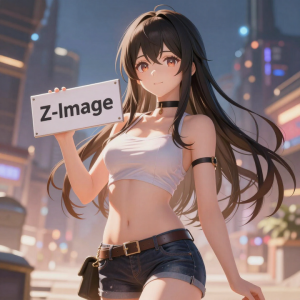
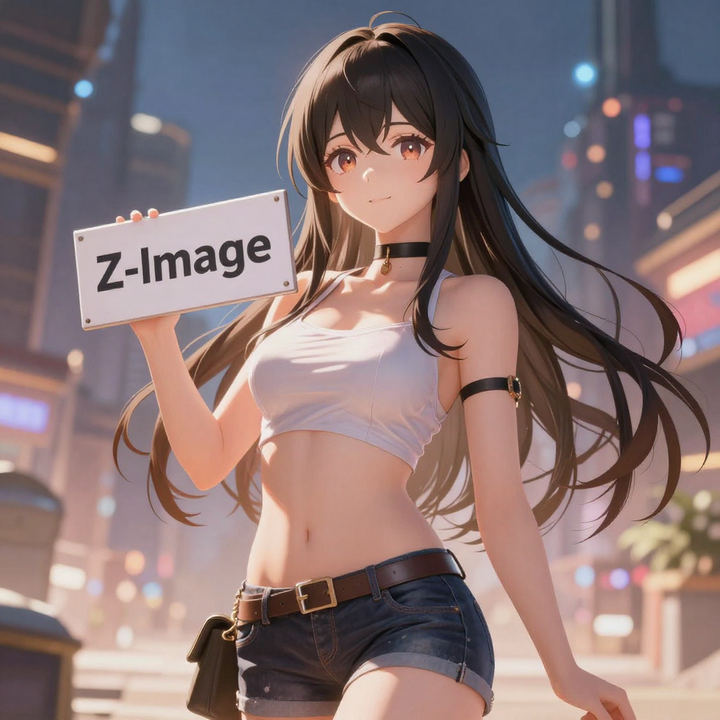
由于众所周知的原因,国内环境访问 github、huggingface 等非常困难,而很多同学即使有了科学上网,也很难做到快速稳定地下载大模型、代码库等资源。这篇文章我就介绍一下如何在纯国内环境下,本地部署起 Z-Image + Comfyui 的文生图服务。
前置条件
首先确保你安装了基础的 python、conda 环境,安装了英伟达显卡驱动。
一、安装 pytorch、cuda 等(可选)
如果你已经有了 pytorch、cuda 等环境,可以忽略此步骤
1、创建一个 python 虚拟环境
为了保证稳定性,将 pip 切换为国内的清华源
pip config set global.index-url https://pypi.tuna.tsinghua.edu.cn/simple创建一个 conda 环境用于 comfyui
conda create -n comfyui python=3.10 -y
conda activate comfyui
2. 安装 PyTorch(必须根据你的 CUDA 版本选择)
先查看你的 CUDA:
nvidia-smi
看右侧的 Driver 版本对应 CUDA,一般是 11.8 或 12.x。
如果你的 CUDA >= 12.1,都使用 12.1
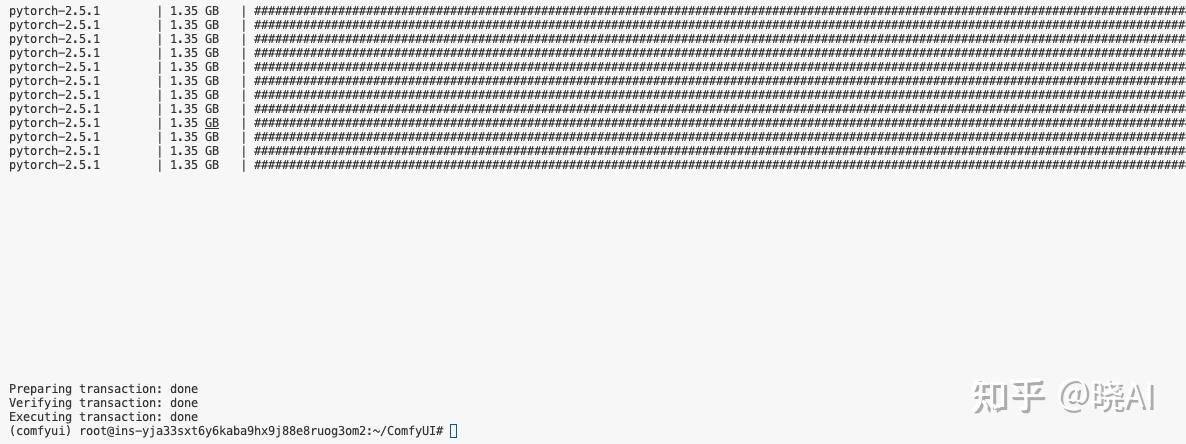
pip install torch torchvision torchaudio --index-url https://download.pytorch.org/whl/cu121如果你的 CUDA = 11.8
pip install torch torchvision torchaudio --index-url https://download.pytorch.org/whl/cu118下载的东西比较大,一般要等十来分钟
二、安装 Comfyui
1、下载 Comfyui 主仓库
这里我们通过国内 gitee 站点来下载 Comfyui 仓库
PS:如果发现这个仓库太老了,可以用ComfyUI 关键词在 gitee 搜索一下,一般有用户会定时将 github 的仓库同步到 gitee
git clone https://gitee.com/xqxyxchy/ComfyUI.git
2、安装依赖
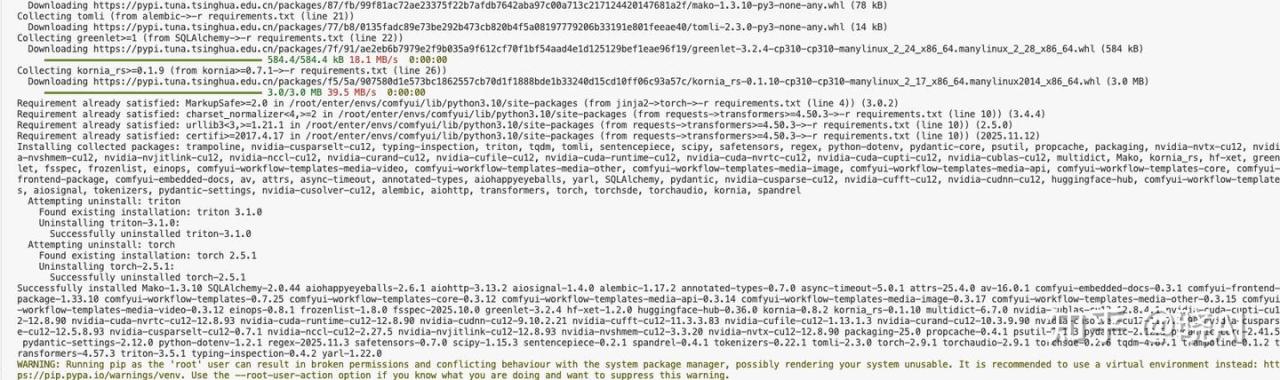
pip install -r requirements.txt这一步一般也要十几二十分钟
2、先把 ComfyUI 跑起来
在 8188 端口运行 ComfyUI服务
cd ComfyUI
python main.py --listen 0.0.0.0 --port 8188
看到下面的输出代表跑起来了:
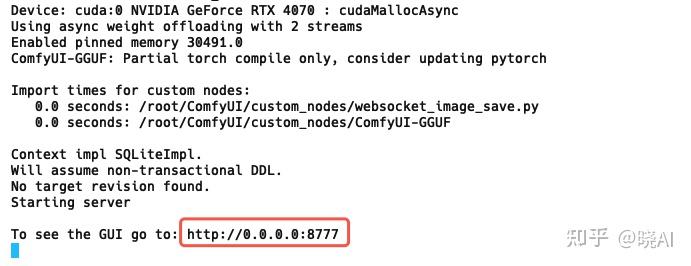
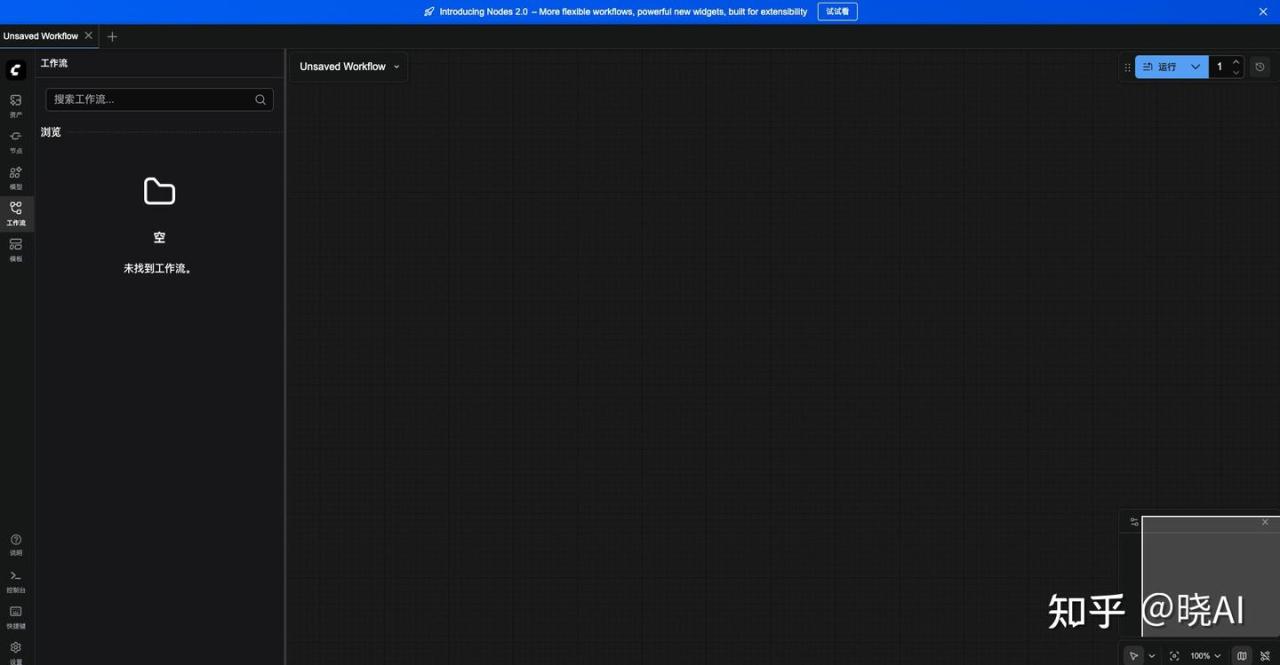
接着就从本地浏览器打开:localhost:8188,可以看到 ComfyUI 成功跑起来了
3、安装 Comfyui GGUF 插件
我们要在小显存下使用 Z-Image 模型,一般要用 GGUF 的模型(什么是 GGUF 就自己问问 AI 吧),那么我们就需要在 ComfyUI 的仓库内再下载 Comfyui GGUF 插件仓库并安装:
1.进入本地 ComfyUI 仓库的 custom_nodes 文件夹
cd custom_nodes2.下载Comfyui GGUF 插件仓库
同样我们从 gitee 下载
git clone https://gitee.com/203014/ComfyUI-GGUF.git- 3. 安装 gguf 组件
pip install gguf三、下载模型文件
我们需要下载三个文件,除了 VAE 之外,其余的要用量化版本:
1. 下载 VAE
VAE 直接使用原版,我们使用 modelscope 的下载地址,文件保存在 ComfyUI/models/vae/
cd ..
cd ./models/vae

wget https://www.modelscope.cn/models/Comfy-Org/z_image_turbo/resolve/master/split_files/vae/ae.safetensors
2. 下载 Text Encoder 模型
同样使用 modelscope 的下载地址,文件保存在 ComfyUI/models/text_encoders/
cd ..
cd ./text_encoders
wget https://www.modelscope.cn/models/unsloth/Qwen3-4B-GGUF/resolve/master/Qwen3-4B-Q6_K.gguf
我选用 Qwen3-4B-Q6_K.gguf,6GB 显存也够用。
如果你显存更小,可以试试 Q5 或 Q4 版本,但质量会稍微下降。
3、下载核心扩散模型
我没在 modelscope 上找到,就从 http://hf-mirror.com 下载吧,放在 ComfyUI/models/diffusion_models/ 文件夹。
cd ..
cd ./diffusion_models
wget https://hf-mirror.com/T5B/Z-Image-Turbo-FP8/resolve/main/z-image-turbo-fp8-e4m3fn.safetensors
这一步要下载好几个 G,网速给力的话大概 10 分钟左右
四、开始炼丹!
经过了那么多步骤,终于可以开始生图了
1、重启一下 comfyui
cd ../../
python main.py --listen 0.0.0.0 --port 8188
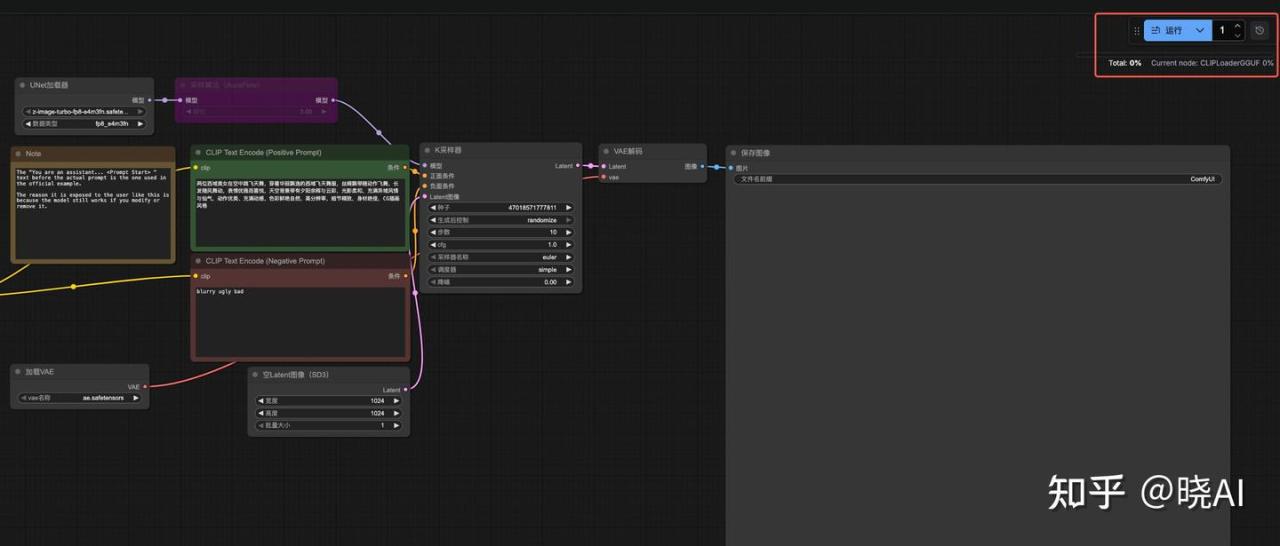
2、导入官方工作流
下载下面这个文件,拖入到浏览器的 comfui 窗口中,就能把工作流自动导入
https://vrviu-iaas.oss-cn-shenzhen.aliyuncs.com/joey/gpuduoduo/z_image_turbo_ls.json
拖入后变成:
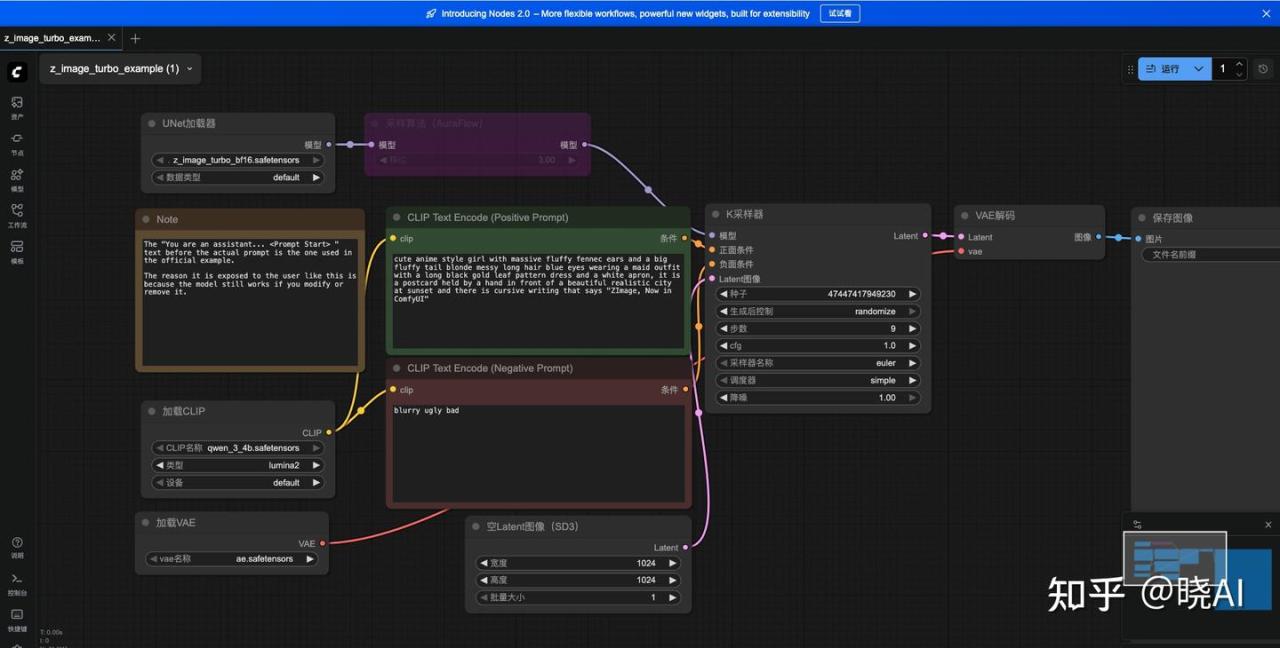
在 Prompt 区域用写提示词:
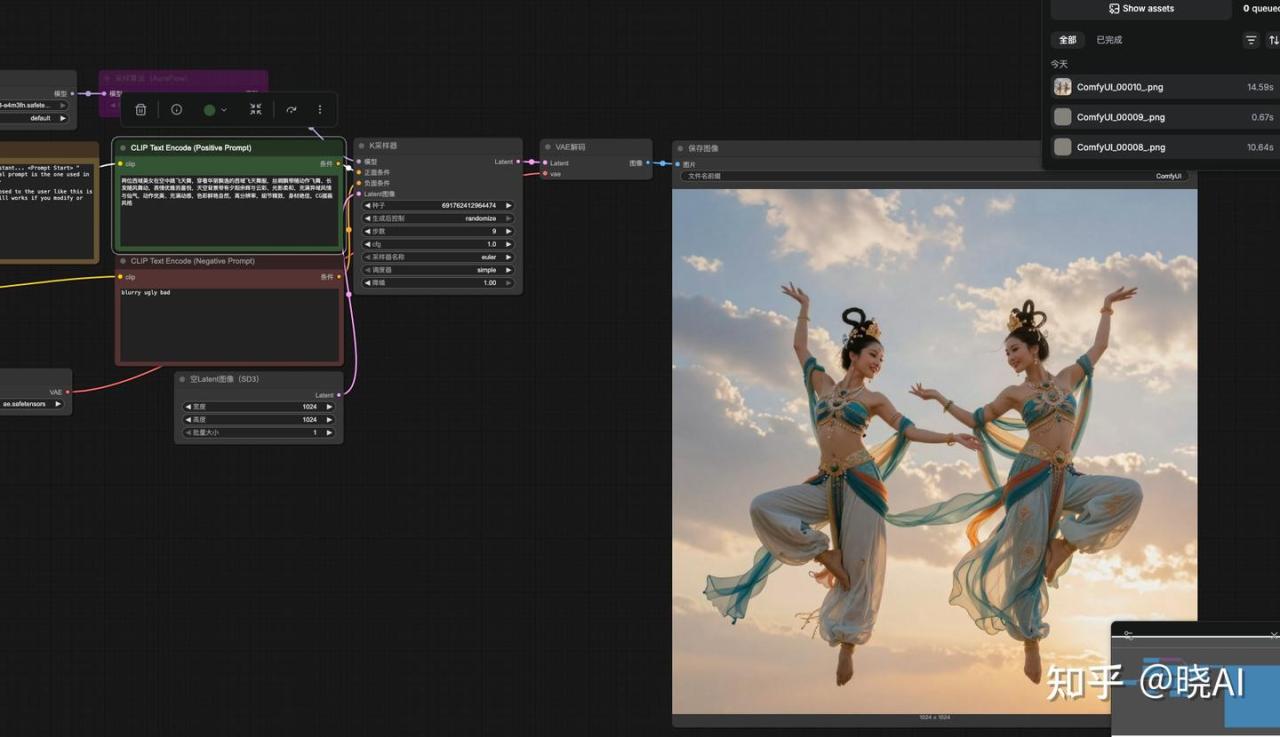
两位西域美女在空中跳飞天舞,穿着华丽飘逸的西域飞天舞服,丝绸飘带随动作飞舞,长发随风舞动,表情优雅而喜悦,天空背景带有夕阳余晖与云彩,光影柔和,充满异域风情与仙气,动作优美、充满动感,色彩鲜艳自然,高分辨率,细节精致,身材绝佳,CG插画风格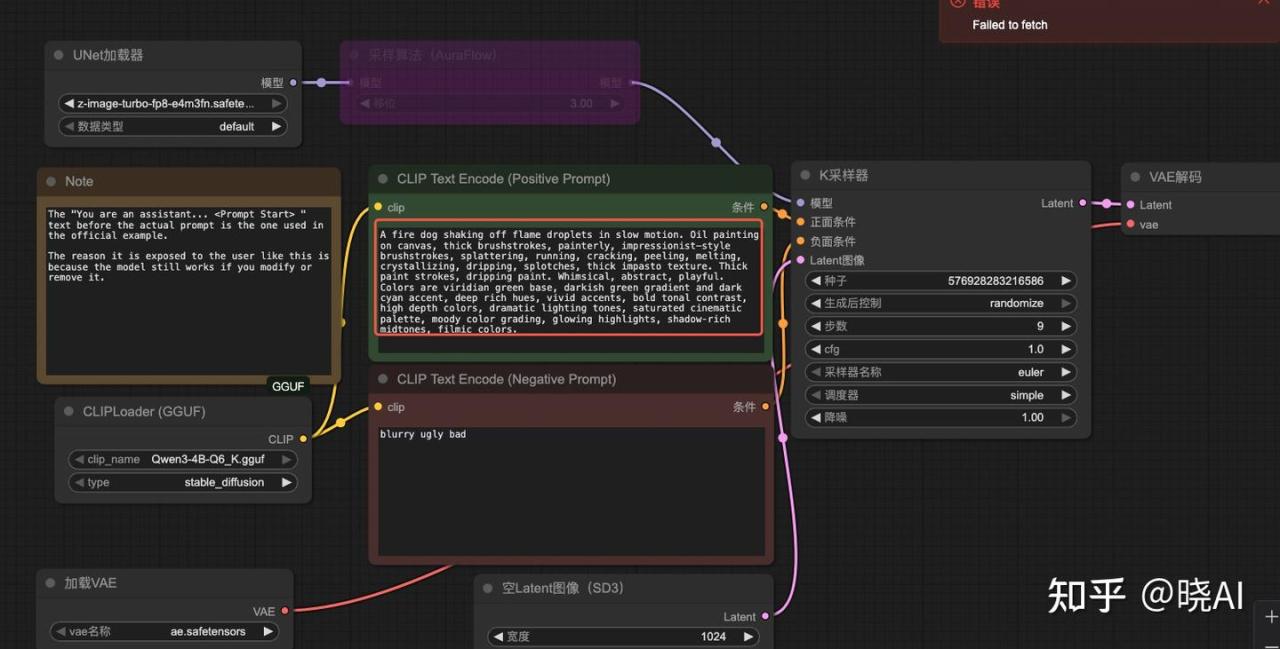
3、开始生成图片
点击右侧的运行,点击后可以看到任务的进度
4、查看效果
我们基本上等个十几秒就能获得1024*1024图片了,Z-Image 对比 Flux、QwenImage等 有极大的提升!
堪称平民使用的最强模型!
五、其他
必装的 “ComfyUI-Manager”
为了让你后续安装节点(Nodes)像手机装 App 一样简单,强烈建议现在就装上管理器。
cd ComfyUI/custom_nodes
git clone https://github.com/ltdrdata/ComfyUI-Manager.git
之后重启 comfyui 即可。
一大堆提示词:
中英文夹杂都行,太强了!
a beautiful and charming anime girl,举着一张牌子"Z-Image" alluring eyes, confident expression, elegant pose, slim and curvy body shape, soft glowing skin, delicate facial features, long flowing hair, standing in a stunning background with soft glowing atmosphere, fantasy cityscape,stylish and fashionable outfit, cinematic lighting, ultra-detailed illustration, premium anime style, vibrant colors, depth of field, masterpiece, highly detailed, intricate textures, clean lineart, professional qualityadventurous anime girl inspired by One Piece style, confident smile, dynamic pose, wind-blown long hair, stylish pirate-inspired outfit with elegant curves, golden accessories, leather belts, ocean breeze lighting, standing on a sunny deck, vast blue sea behind her, seagulls, cinematic shounen style, vibrant colors, bold lineart, ultra-detailed illustration, masterpieceelegant anime girl inspired by Genshin Impact aesthetics, soft ethereal glow, refined face, slim and graceful body line, ornate fantasy costume with flowing ribbons, magical particles floating around, standing in a bright ancient city of elemental energy, pastel sky, bloom lighting, premium anime rendering, finely detailed textures, high-quality cel-shadingstylish and charming anime girl inspired by Wuthering Waves vibe, cool and calm expression, sharp yet delicate features, slightly revealing urban-tech outfit, high-tech mechanical accessories, wind effect, chrome lighting reflections, futuristic ruins in the background, floating dust, cinematic realism mixed with anime style, ultra-clean lineart, dynamic atmospherepowerful and alluring kunoichi-style anime girl inspired by Naruto aesthetics, confident pose, sharp eyes, flowing hair in motion, form-fitting ninja outfit with elegant design, chakra-like glow surrounding her, standing on a mountain cliff with storm clouds and falling leaves, intense shounen lighting, energetic composition, highly detailed illustrationmystical and captivating anime girl inspired by Black Myth Wukong atmosphere, traditional fantasy Chinese elements, elegant silhouette, ornate lotus-pattern outfit, subtle sensual vibe but fully safe, glowing talisman ornaments, ancient temple ruins in mist, warm golden light shafts, floating dust, cinematic epic tone, intricate textures, masterpiece oriental fantasy artelegant fantasy anime girl in Genshin-like design, slim and graceful figure, glowing eyes, ornate pastel costume with wing-shaped ornaments, soft ribbons flowing in the wind, standing in an ancient floating plaza with crystal pillars, magical particles, dreamy bloom lighting, fine cel-shading, exquisite textures, high fantasy renderingethereal anime girl inspired by Chinese shanshui aesthetics, delicate features, flowing hanfu with soft gradients, long silky hair in wind, floating petals, misty mountains background, ink-wash style lighting, elegant, calm, ultra-fine textures, oriental fantasy atmosphere我就想一键使用!
对于不想折腾环境的同学,可以直接使用算多多提供的算力进行玩耍,基本上一键启动。
用以下链接注册可以免费使用4070算力(20 元算力,免费 30+小时😊)
